Find a chat
Search conversations and use Vinaa's switchers to move quickly between chats and projects.
Written By Sujeevan Nagarajah
Last updated 3 months ago
Vinaa offers several ways to return to an earlier conversation.
Search the current Chat List
Select the project or folder you want to search.
Click Search in the toolbar or press Command-F.
Enter part of the conversation title or preview text.
Select a result.
You do not need to type the exact title. A distinctive word from the title or preview is usually enough.
Go to chat

Press Command-O to open Go to Chat. Enter part of a chat title, then select the conversation you want.
Type / in the search field to filter the results by:
Project
Folder
Favorites
Select a filter to add it to the search field. You can combine project, folder, and Favorites filters, then enter title text to narrow the results further.
If Go to Chat is opened while you are viewing a project, Vinaa starts with that project as a filter. Remove the filter if you want to search every project.
Switch between open chats
Press Command-Shift-O to switch between conversations already open in your current tabs and windows.
Find chats by status
Use the Folder Panel to open:
Favorites for starred conversations.
Unread for conversations needing attention, when shown.
Unfiled for chats not assigned to a folder.
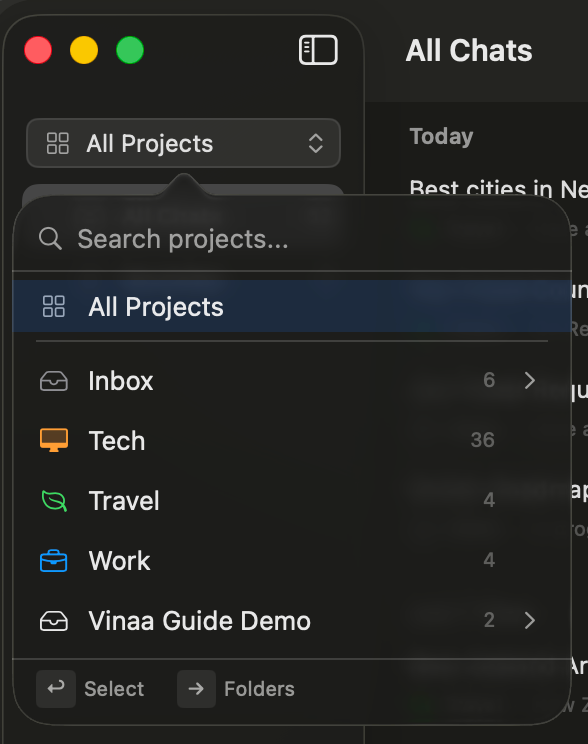
Switch projects
Press Command-Shift-P to search projects. Select a project directly or open one of its folders.
Search inside a long conversation
Press Command-J to open Jump to Message. Press Command-Shift-J to show Content Navigation, where you can browse prompts, responses, and headings.
Was this helpful?
Still need help? Ask the team