Understand projects and folders
Learn how projects, folders and built-in views organize your conversations.
Written By Sujeevan Nagarajah
Last updated 29 days ago
Projects group related conversations. Folders organize chats within a project, so you can keep a trip, a client or a course together without mixing everything into one list.
Projects and folders
A project can have its own name, icon, color, default AI model, chat instructions, automation settings and saved prompts. Inbox is the built-in project for chats that do not need a separate home. You cannot archive, delete or reorder it.
Folders belong to one project. For example, a New Zealand project could contain Transport and Accommodation folders, with subfolders for individual destinations. Selecting a folder also includes chats in its subfolders.
Chats without a folder appear under Unfiled. This row appears only after a project has at least one folder; otherwise, selecting the project already shows all its chats.
Browse all projects
Choose All Projects from the picker at the top of the Folder Panel, the sidebar on the leading edge of the window. Each project can expand to show its folders. Select a project row to see its chats in the Chat List.
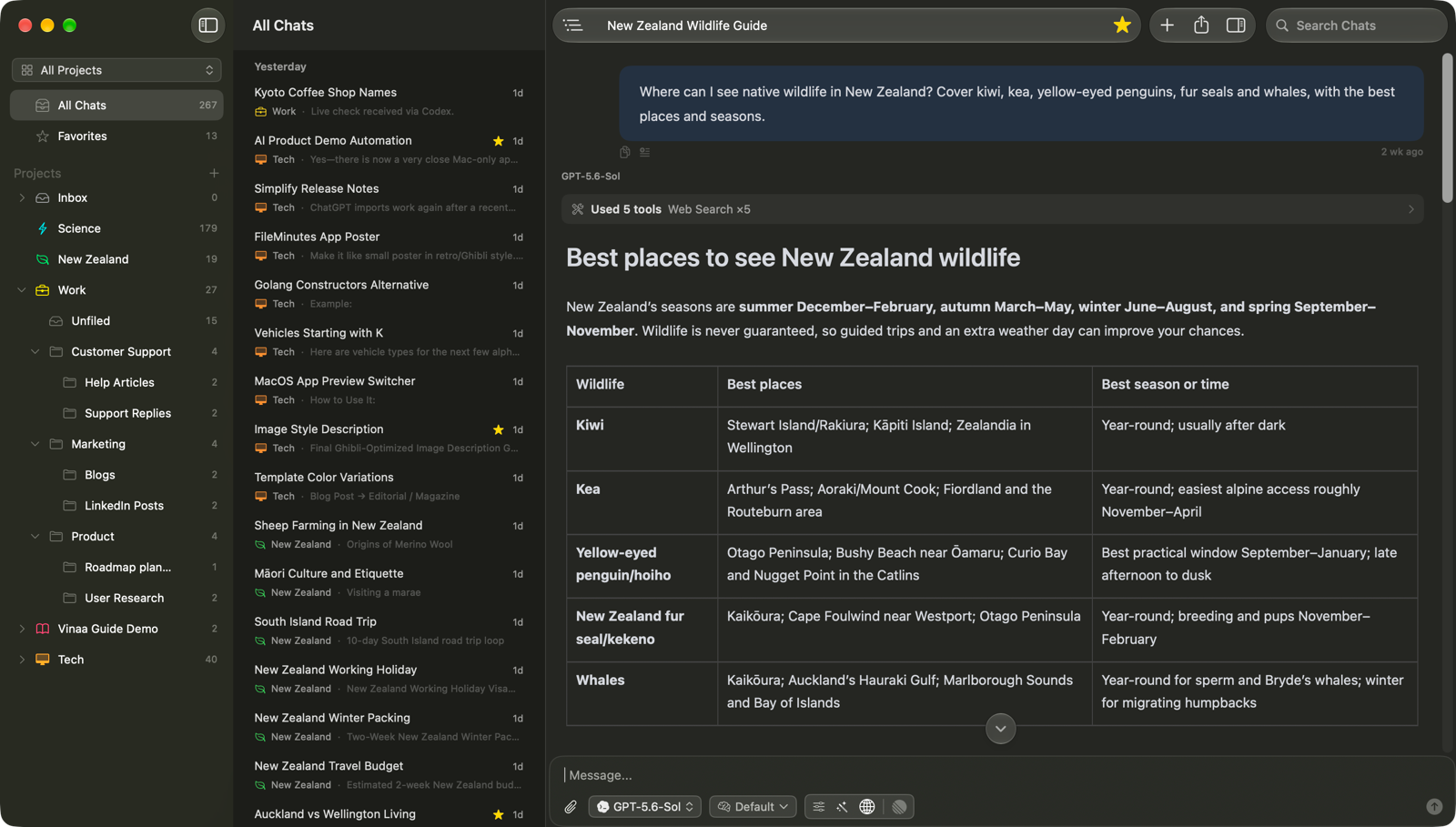
The built-in views follow the project choice at the top:
All Chats shows chats across the active projects currently in view.
Favorites shows chats you have starred.
Unread shows chats with responses you have not read, and chats still generating responses. It appears when there is activity to show.
Focus on one project
Press ⇧⌘P to open Switch Project….
Choose a project.
The Folder Panel now shows that project's folders, and the built-in views apply only to that project. Each window keeps its own project choice. Choose All Projects to broaden the view again.
View archived work
Choose Archived Projects in the project picker to browse archived projects and their chats. This choice appears when you have archived projects. They are hidden from the normal All Projects view and cannot receive new chats until you unarchive them.
Related articles
Create and manage projects
Find a chat
Search all your chats
Was this helpful?
Still need help? Ask the team