Connect OpenRouter
Connect your OpenRouter account to choose models from many AI providers in Vinaa.
Written By Sujeevan Nagarajah
Last updated 22 days ago
OpenRouter gives you access to hundreds of models through one account. You can approve Vinaa in your browser or paste an API key—a secret credential that allows Vinaa to use your account.
Before you connect
Create an OpenRouter account. Paid models use OpenRouter credits. Some free models are available with rate limits; check OpenRouter's support page and each model's current price before use. Your Vinaa license does not include OpenRouter credits.
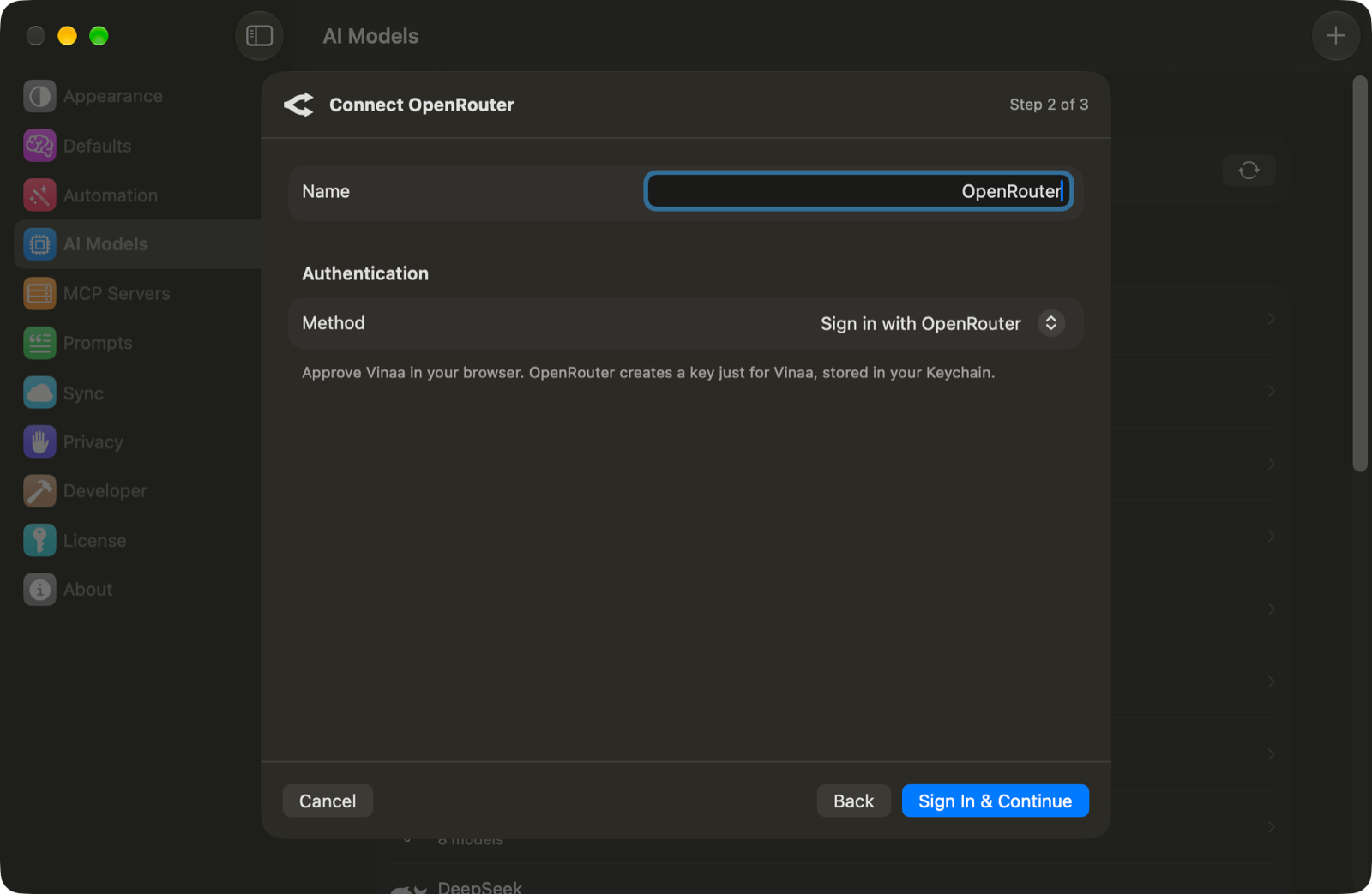
Sign in with OpenRouter
Choose Vinaa → Settings → AI Models.
Click Add Connection in the toolbar.
Choose OpenRouter under Gateways & Inference Hosts.
Leave Method set to Sign in with OpenRouter.
Click Sign In & Continue.
Approve Vinaa in the browser window that opens.
Return to Vinaa when the browser flow finishes.
OpenRouter creates a key for Vinaa, which Vinaa stores in your Mac's Keychain. This follows OpenRouter's browser authorization flow.
Or connect with an API key
Follow the steps above to choose OpenRouter.
Set Method to API key.
Open Create a key ↗ to visit OpenRouter's key settings.
Create a key in your OpenRouter account.
Copy the key.
Paste it into Vinaa's API Key field.
Click Continue.
Both methods use the same OpenRouter model catalog and account credits.
Choose your models
In Choose Models, select the models you want available in Vinaa.
Click Add Connection.
Press ⌘L in a chat to select an OpenRouter model.
To change your selection later, open the connection in AI Models and click Choose Models…, then Save. Refresh updates the models you already selected; it does not automatically add every new OpenRouter model.
Use web search
Open the tools panel with ⇧⌘T and enable Web Search for your chat. Search can incur additional OpenRouter charges; see OpenRouter's web search page.
If you need to replace your connection's credential, open Edit… on its connection page. You can paste a new key or use Sign In Again. Deleting the connection in Vinaa does not revoke the key at OpenRouter; manage keys in your OpenRouter account.
Related articles
Which AI connection should I use?
Choose a model for a chat
Use AI tools
Fix AI connection problems
Was this helpful?
Still need help? Ask the team