Change language, theme and text size
Adjust Vinaa's appearance and language to make it comfortable to read.
Written By Sujeevan Nagarajah
Last updated 22 days ago
Vinaa's Appearance settings control its theme, interface language, text size and reading behavior. Open Vinaa → Settings... → Appearance, or press ⌘, and select Appearance.
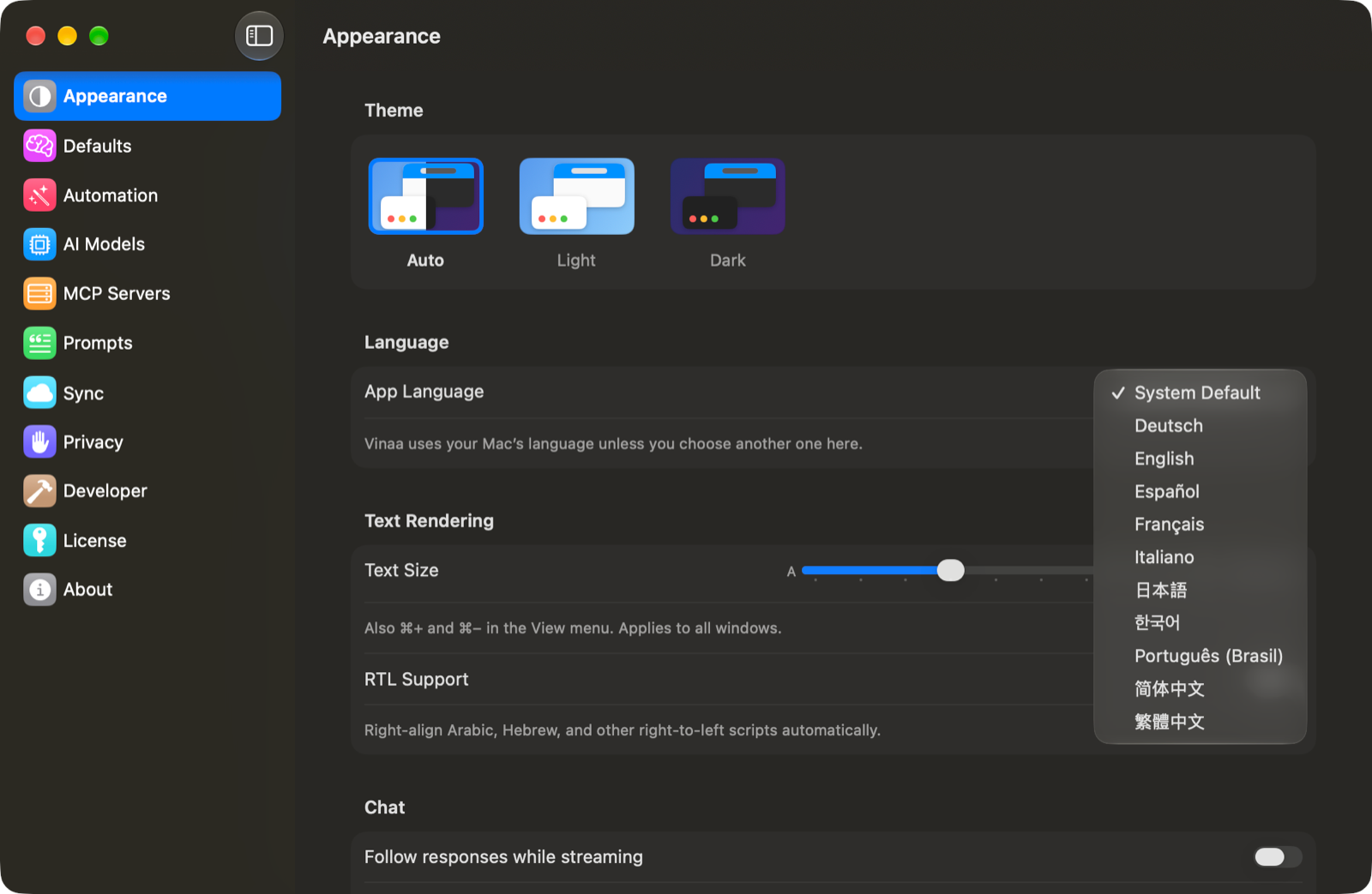
Choose a theme
Under Theme, select one of these choices:
Auto follows your Mac's light or dark appearance.
Light keeps Vinaa in light appearance.
Dark keeps Vinaa in dark appearance.
The change applies immediately to Vinaa's windows.
Change the app language
Under Language, open App Language.
Choose the language you want.
Click Relaunch Now when prompted.
Choose Later if you want to keep working; the new language takes effect when Vinaa next launches. Choose System Default to follow your Mac's language again.
Vinaa supports English, German, Japanese, French, Simplified Chinese, Spanish, Brazilian Portuguese, Korean, Italian and Traditional Chinese. The picker shows language names in their own languages, so look for the language's native name.
Changing the app language changes Vinaa's controls and labels. Your existing messages and AI replies keep their original text. To ask for a reply in another language, tell the AI in your message.
Make text easier to read
Find Text Size under Text Rendering.
Move the slider toward the larger or smaller A.
Text size applies across Vinaa's windows. Click Reset to return to the default.
You can also use the View menu:
Adjust reading behavior
Turn on RTL Support to automatically right-align Arabic, Hebrew and other right-to-left scripts.
Under Chat, turn on Follow responses while streaming if you want the thread to scroll automatically while the AI writes. Leave it off to keep the view where you are reading.
Related articles
Take a tour of the Vinaa workspace
Read thinking, steps and sources
Vinaa keyboard shortcuts
Was this helpful?
Still need help? Ask the team