Connect other AI providers
Add a provider's API key to use Grok, Mistral, DeepSeek, Kimi, GLM, Qwen, or hosted open models in Vinaa.
Written By Sujeevan Nagarajah
Last updated 22 days ago
An API key is a secret credential that lets Vinaa send requests using your provider account. API usage is billed by that provider; check its current pricing and any free-tier limits before chatting.
Choose a provider and get a key
Use the provider name shown in Vinaa. The links below lead to official key pages or setup guides. The examples describe uses to consider, not a guarantee that every model supports every feature.
For Moonshot AI, use the Kimi API platform's pay-as-you-go key. Kimi Membership and Kimi Code are separate products. For Z.ai, use a Standard API key for the general API. For Alibaba Cloud, Vinaa's built-in connection uses the Singapore endpoint: create a matching pay-as-you-go Model Studio key. Regional keys and endpoints cannot be mixed; see Alibaba's regions and endpoints.
Add the connection
Choose Vinaa → Settings → AI Models.
Click Add Connection in the toolbar.
Choose your provider under Model Providers or Gateways & Inference Hosts.
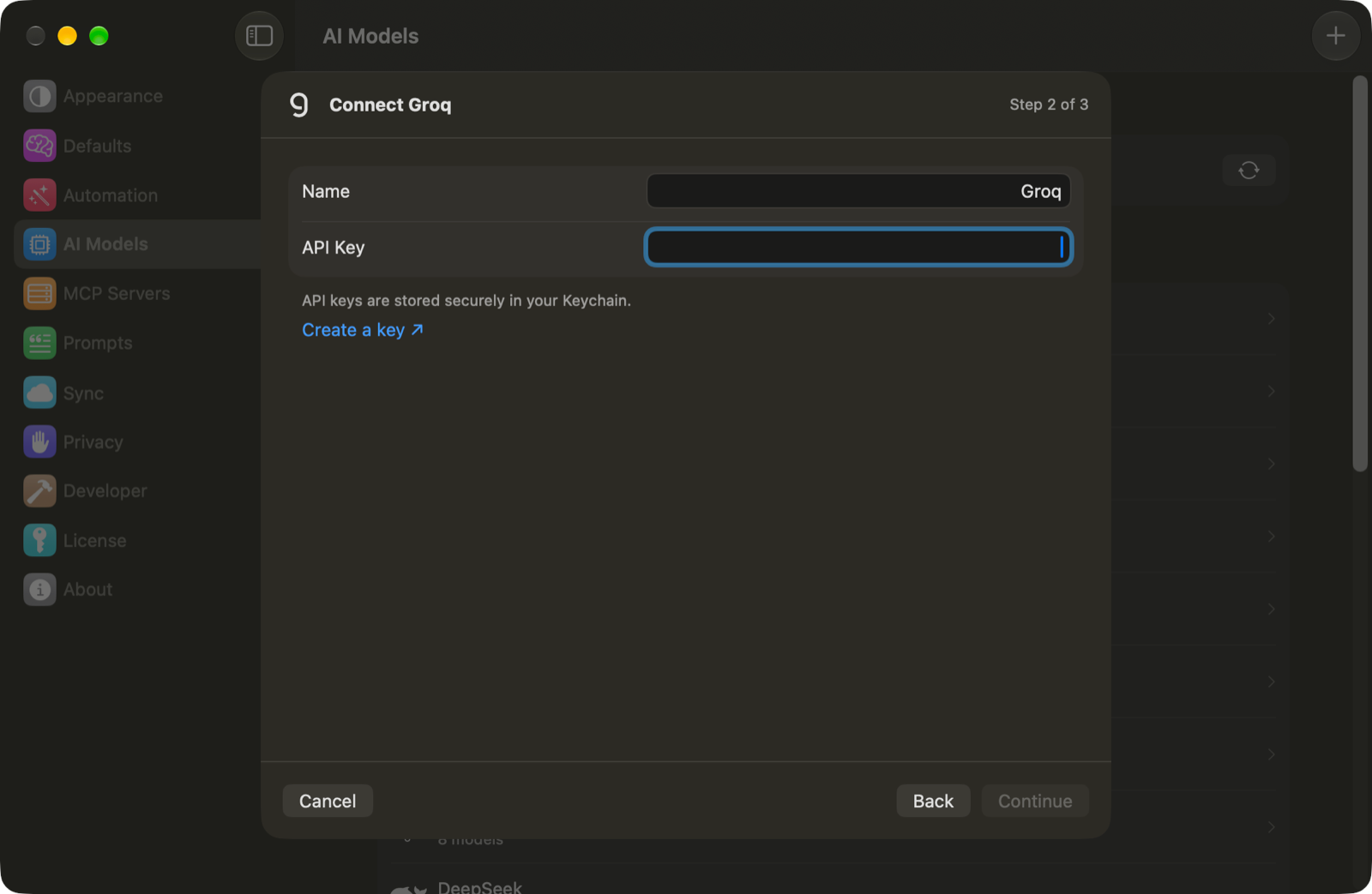
Enter a Name that helps you recognize the connection.
Paste your key into API Key.
Click Continue.
Select the models you want in Choose Models.
Click Add Connection.
Some providers show Create a key ↗ below the key field. Use that link, or the official guide above, to create your key. Vinaa stores it in Keychain.
Use and manage your models
Press ⌘L in a chat to choose a model. Features such as image input, reasoning, and tool use depend on the selected model and Vinaa's integration.
To change your available models, open the connection in AI Models and click Choose Models…, then Save. To replace a key, click Edit…, enter the new API Key, then click Save.
Related articles
Which AI connection should I use?
Connect OpenRouter
Add a custom OpenAI-compatible API
Fix AI connection problems
Was this helpful?
Still need help? Ask the team