Read thinking, steps and sources
Expand an AI response's activity, inspect cited sources, and control how the chat follows new text.
Written By Sujeevan Nagarajah
Last updated 22 days ago
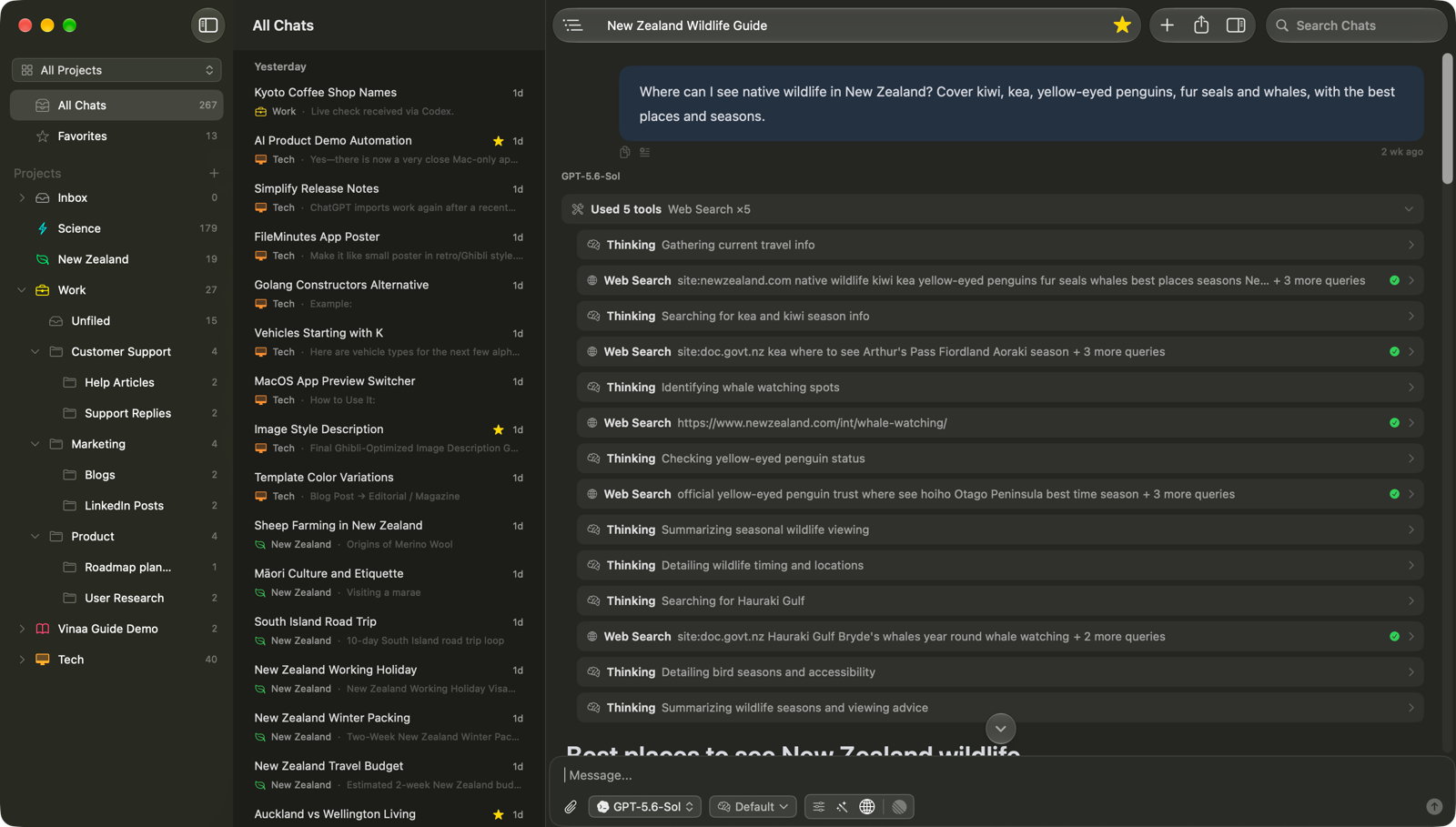
A response can include an answer, thinking, tool activity and sources. What appears depends on the model and the work it performs; a simple reply may show only text.
Read thinking
Some models provide thinking text alongside their answer. Click the thinking block to Show Thinking, or click it again to Hide Thinking.
Thinking may appear while the model works, before answer text arrives. Some providers redact it, in which case Vinaa shows Thinking content was redacted. You do not need to expand thinking to read the answer.
Inspect the steps
When a response includes thinking or tools, Vinaa groups the activity into a compact steps line. While work is in progress, the line shows the current activity; afterward, it summarizes the work.
Click the steps line to Show Steps.
Expand the thinking or tool block you want to inspect.
Click the steps line again to Hide Steps when finished.
Tool details may include a search query, a fetched page, executed code, or information returned by an MCP server. If the response pauses at an approval card, it is waiting for your decision before running that tool.
Check sources
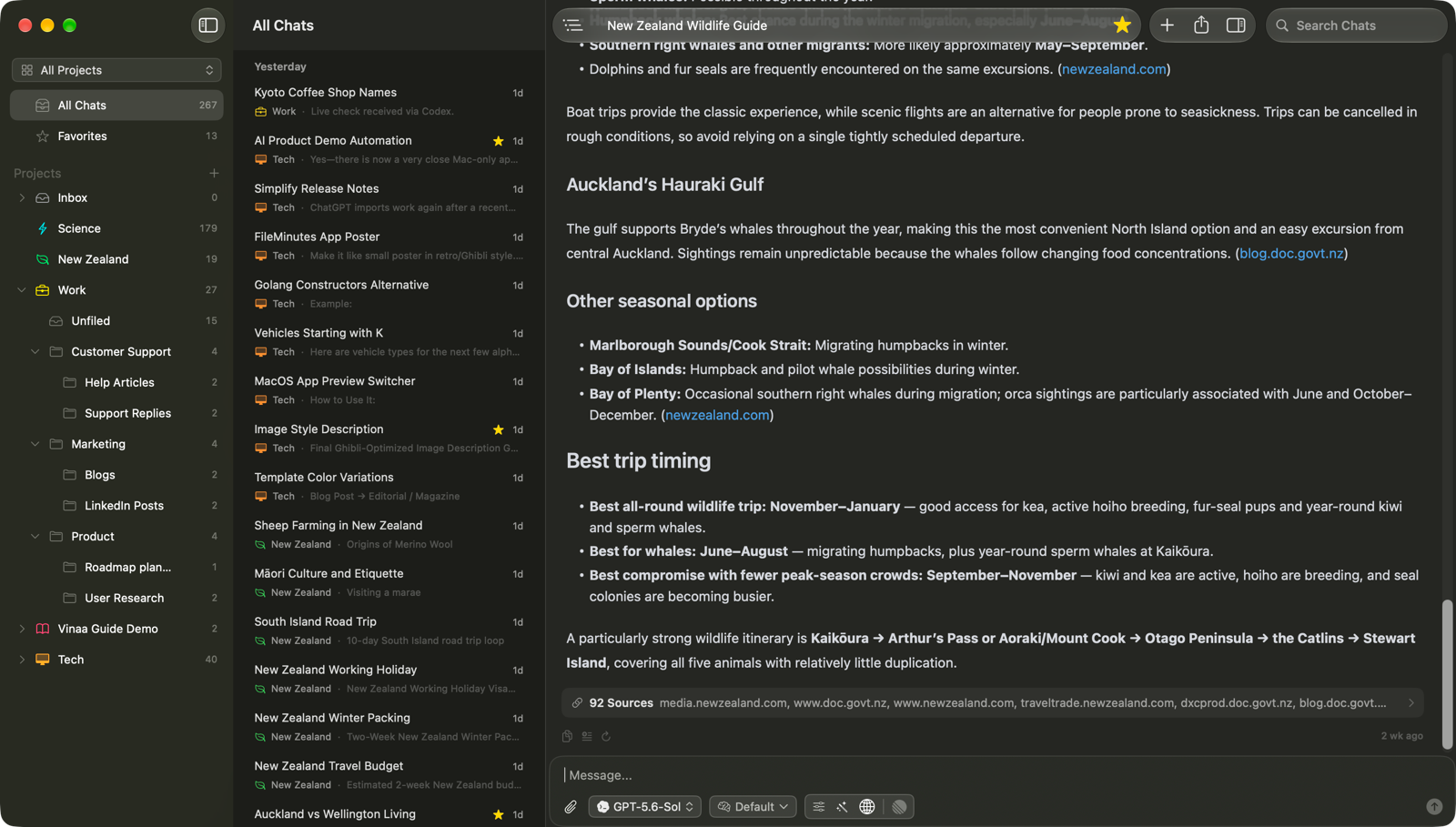
Numbered citations such as [1] in an answer correspond to the numbered entries in the Sources row below it. The row also shows how many sources were included.
Click the Sources row to expand it.
Find the entry matching the citation number.
Click a linked source to open it.
Some sources refer to documents rather than web pages and may have no link. A response without a sources row has no supplied source list; you can ask the AI for references if you need them.
Follow a response as it arrives
Replies appear as the AI writes them. By default, Vinaa lets you read without continually scrolling to the newest text.
When a reply extends below the visible area, click Follow Response near the bottom of the chat to follow its latest text. Click Stop Following, or scroll by hand, to read at your own pace. After the reply finishes, Scroll to End takes you to the bottom.
To follow replies automatically, open Vinaa → Settings → Appearance and turn on Follow responses while streaming. An expanded thinking block can follow its live thinking independently until you scroll by hand.
Expand a long message you sent
Long sent messages may be shortened in the thread. Click Show More to read the full message, or Show Less to collapse it again. This only changes its display; it does not edit the message.
Related articles
Use AI tools
Connect apps with MCP servers
Regenerate a response and fix errors
Find text in a chat
Was this helpful?
Still need help? Ask the team